AI and Automation
Enabling AI for your team
One private AI workspace for your whole team: the best models, your email, ERP and files connected, every action traced. Fast from China and everywhere else.
The problem
AI is already in your company. Just not under your control.
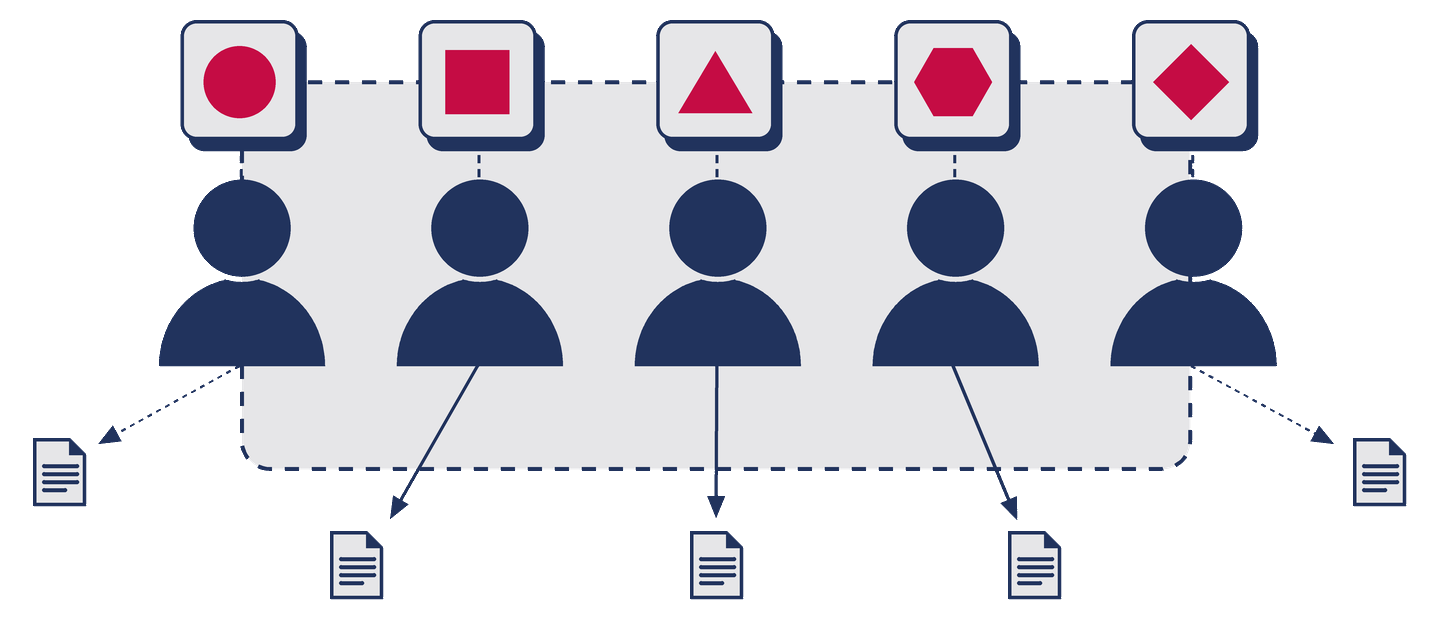
- Shadow AI. People paste customer data into personal AI accounts. Nobody knows what left the company.
- No traceability. Clients, auditors and partners ask "how is AI used on our data?" and there is no answer.
- Disconnected. The AI does not know your orders, your emails or your products, so every answer needs copy-paste.
- One tool per region. Teams in different countries end up with different tools, different accounts, different rules.
- Vendor lock-in. Per-seat SaaS assistants own the history, the connectors and the roadmap.
Our approach
Four levels, one platform
Each level is useful on its own, each builds on the previous one, and you can stop at any level. The platform underneath is the same from day one, so nothing is thrown away when you move up.
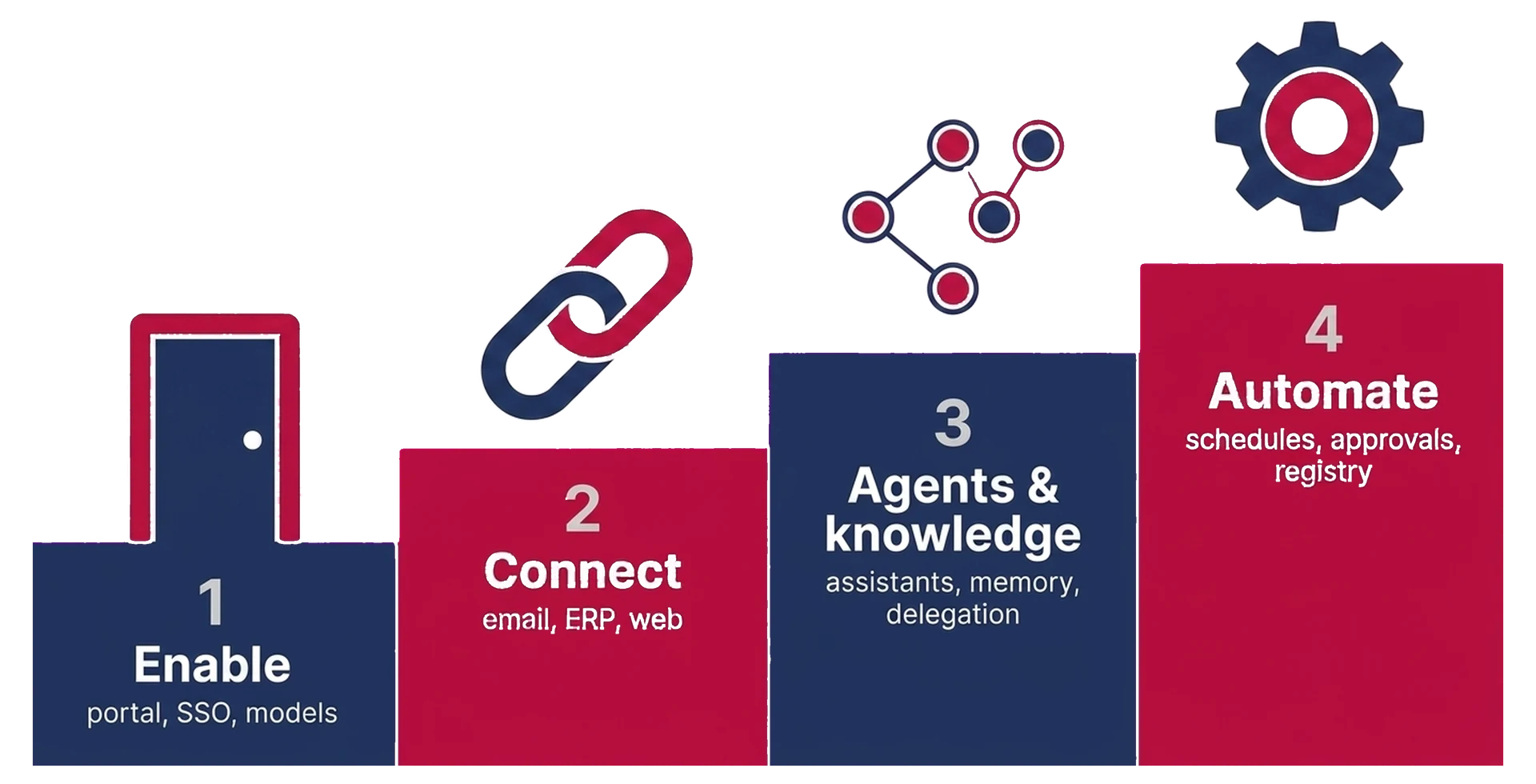
Enable: a safe AI workplace
Every employee logs in with the company account and gets the best models of the moment in one interface, with web search, image generation, file upload and a shared prompt library. IT sees who uses what, and what it costs.
Typical duration: 3 to 5 working days from kick-off to first user.
Read about Enable
Connect: AI plugged into your systems, as you
The assistant reads your emails, looks up your ERP, searches the web, and does so as you: your mailbox, your ERP rights, nothing more.
Typical duration: 2 to 4 working days per connector. Email and Odoo are ready-made; a new system typically needs 3 to 8 days.
Read about Connect
Agents and knowledge: assistants that specialise and remember
Named assistants with a role, a memory and a knowledge base: a sales assistant that knows your catalogue, a sourcing assistant that knows your suppliers, a customer-care assistant that knows your policies.
Typical duration: 1 to 2 weeks for the first three assistants, then iterative.
Read about Agents and knowledge
Automate: AI that does the work on a schedule
The Monday pipeline summary is in the inbox at 8:00, a quotation follow-up draft appears three days after sending, a supplier email is triaged into the right job. Humans approve, the system executes.
Typical duration: 2 to 5 days per automation once Levels 1 and 2 exist.
Read about Automate
Training and adoption
Tools do not change a company. People do.
Your team learns on your own platform, with your own data, doing their real jobs.
- AI in one afternoon.
- Train on your job, not on slides.
- One page of rules everyone can follow.
- Keep it alive.
The platform
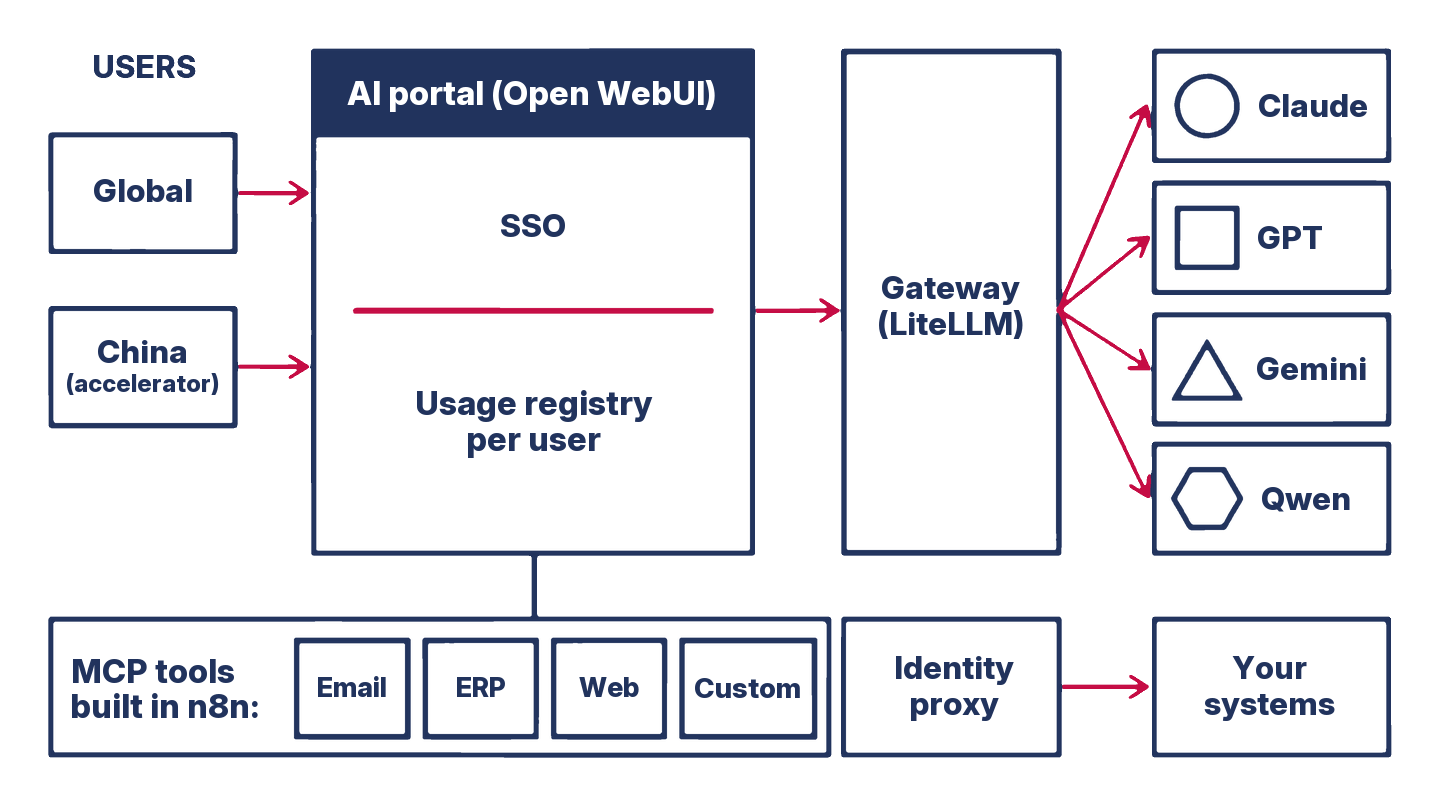
AI platform architecture: Open WebUI, LiteLLM, MCP and n8n
Your team works in Open WebUI, an AI workspace for chat, files, images, assistants and groups. Every request goes through LiteLLM, one gateway to all models, with usage recorded per user and per team. Connectors are built as n8n workflows and exposed through MCP (Model Context Protocol), the open standard for connecting AI to systems, so the same tools work with any MCP-compatible client later.
Connecting is straightforward: email (Microsoft 365, including the China cloud, and Google Workspace), your ERP (Odoo today, others on request), web, or any system with an API. Your data stays where it is.
Hosted on your cloud, ours, or a mix, in the region of your choice, with a China entry point when you need one. Your data, documents and settings can be exported at any time, and model vendors are interchangeable. For dashboards and reporting on the same Odoo data, see our business intelligence services.
Glossary
- MCP (Model Context Protocol)
- An open standard that lets an AI assistant call external tools in a uniform way. Our connectors are MCP servers, so any MCP-compatible client can reuse them.
- Open WebUI
- An AI workspace for chat, files and assistants, where users, groups, tools and knowledge are managed in one place. It is the interface your team logs into.
- LiteLLM
- An AI gateway that presents many model providers behind one OpenAI-compatible API and records usage per key, user and team.
- n8n
- A workflow automation platform used to build connectors and automations visually, one readable workflow per tool.
- SSO / OIDC
- Single sign-on: logging in with the company account. OIDC is the standard used to connect the portal to Microsoft 365 or Google Workspace.
- Identity proxy
- A small component that stamps the connected user's identity on every tool call, so tools act as that person and never as someone else.
Why Majorbird
What makes this different
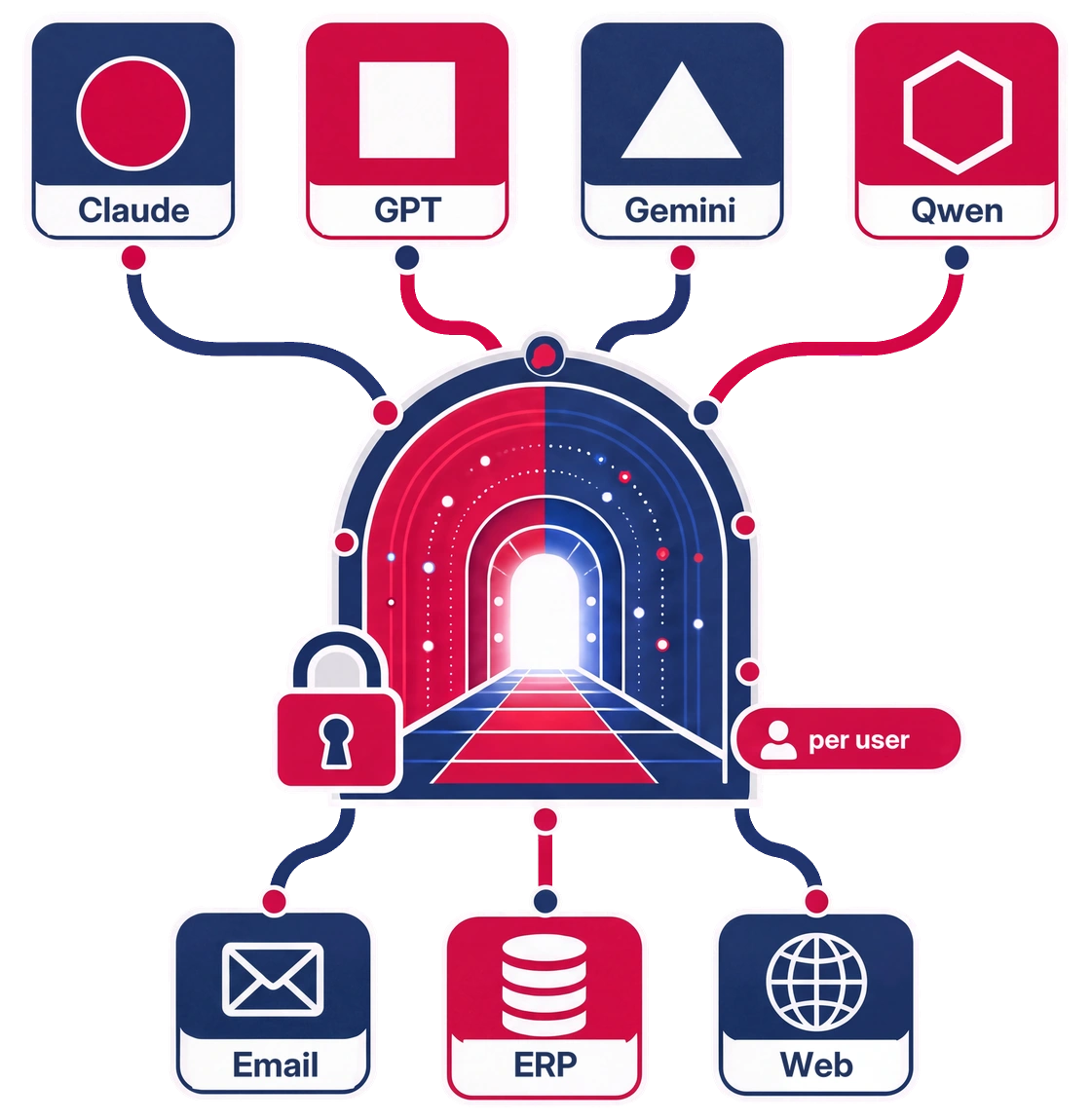
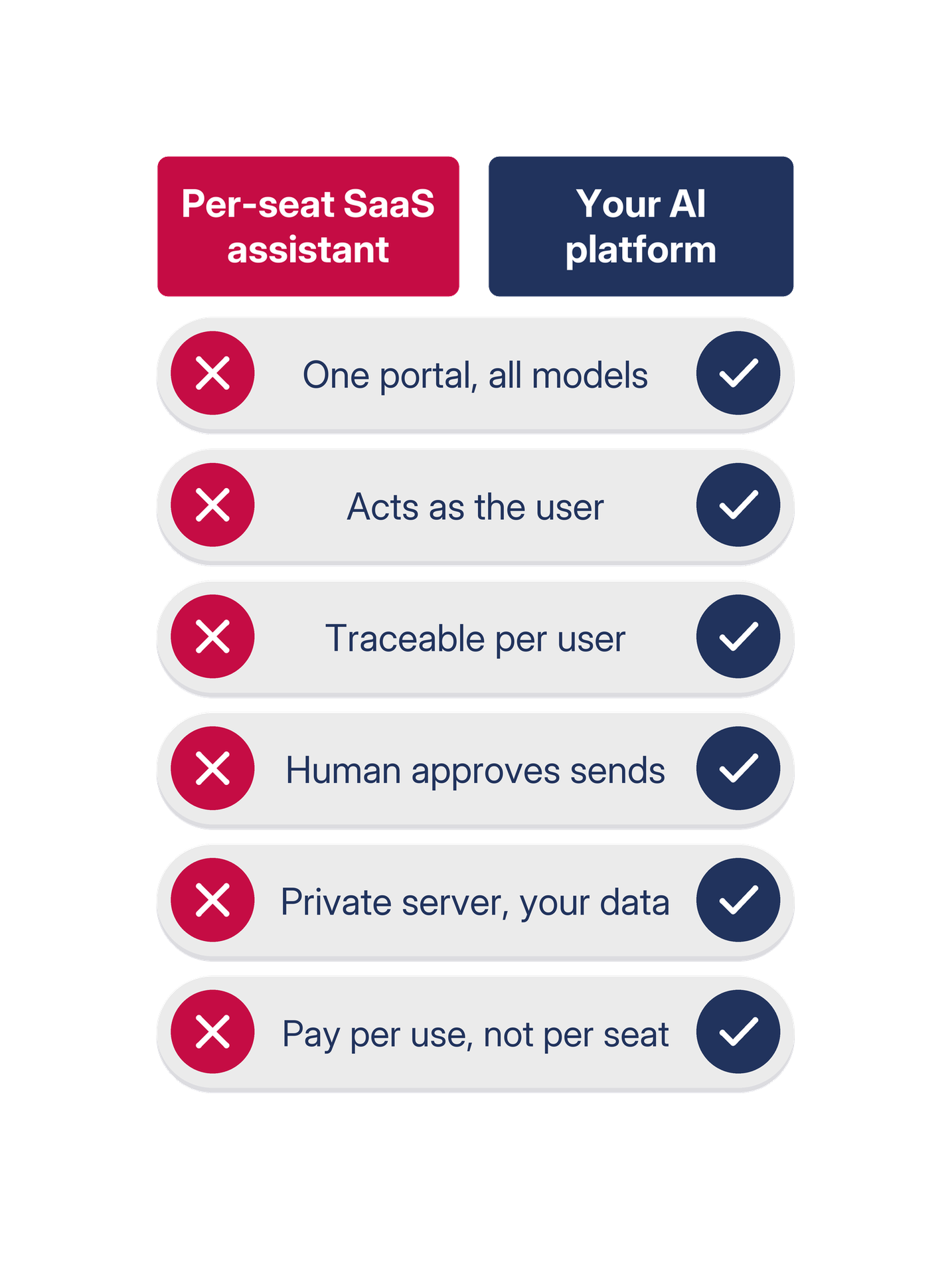
- One portal, all models, all regions. Not one SaaS per zone with two identities and two histories.
- Per-user identity end to end. The assistant acts as the person using it. The ERP enforces its own rights; the mailbox is the person's own. No shared super-account.
- Traceable by construction. Every model call and every tool call is logged per user. That is the answer when a client or auditor asks how AI touches their data.
- Drafts, not sends. No autonomous sending or writing by default. Proposals, not changes. Humans approve.
- Open and portable. Built on proven open platforms (Open WebUI, LiteLLM, n8n) and open standards (MCP). Your private server, run by us or in your own cloud account. Your data, documents and settings can be exported at any time.
- Clear pricing. No seat price for every employee: a monthly subscription by active users, and AI usage at the provider price plus a 5.5% processing fee.
- Built by people who know your systems. Majorbird has implemented and supported ERPs for years; the connectors are written with that knowledge.
Security and governance
Built for the questions your clients will ask
Your identity provider, nothing else
No local passwords. Access starts on first login and ends when the account is disabled.
Rights in two layers
Portal groups decide what a user can see; the source system (for example ERP groups) decides what a tool may return for that user. The identity on each call is stamped by a trusted component, never by the model.
Read by default, traced always
Read scopes unless you decide otherwise; write actions go through approval. A per-user audit trail of every model and tool call, exportable: traceable AI by construction. Data stays in the region you choose.

Case study
One platform for an international team, in one week
Client. A mid-sized trading company, about fifty users across several countries, an Odoo ERP and Microsoft 365.
Situation. An external proposal suggested two separate SaaS assistants, one per region, because of local access constraints. The client wanted one platform, no VPN, traceability for a demanding customer, and its ERP and mailboxes connected.
What we did, in one week.
- Level 1: private portal on the client's domain with two regional entry points, SSO on the client's Microsoft tenant, four curated models, image generation, usage registry per user and team.
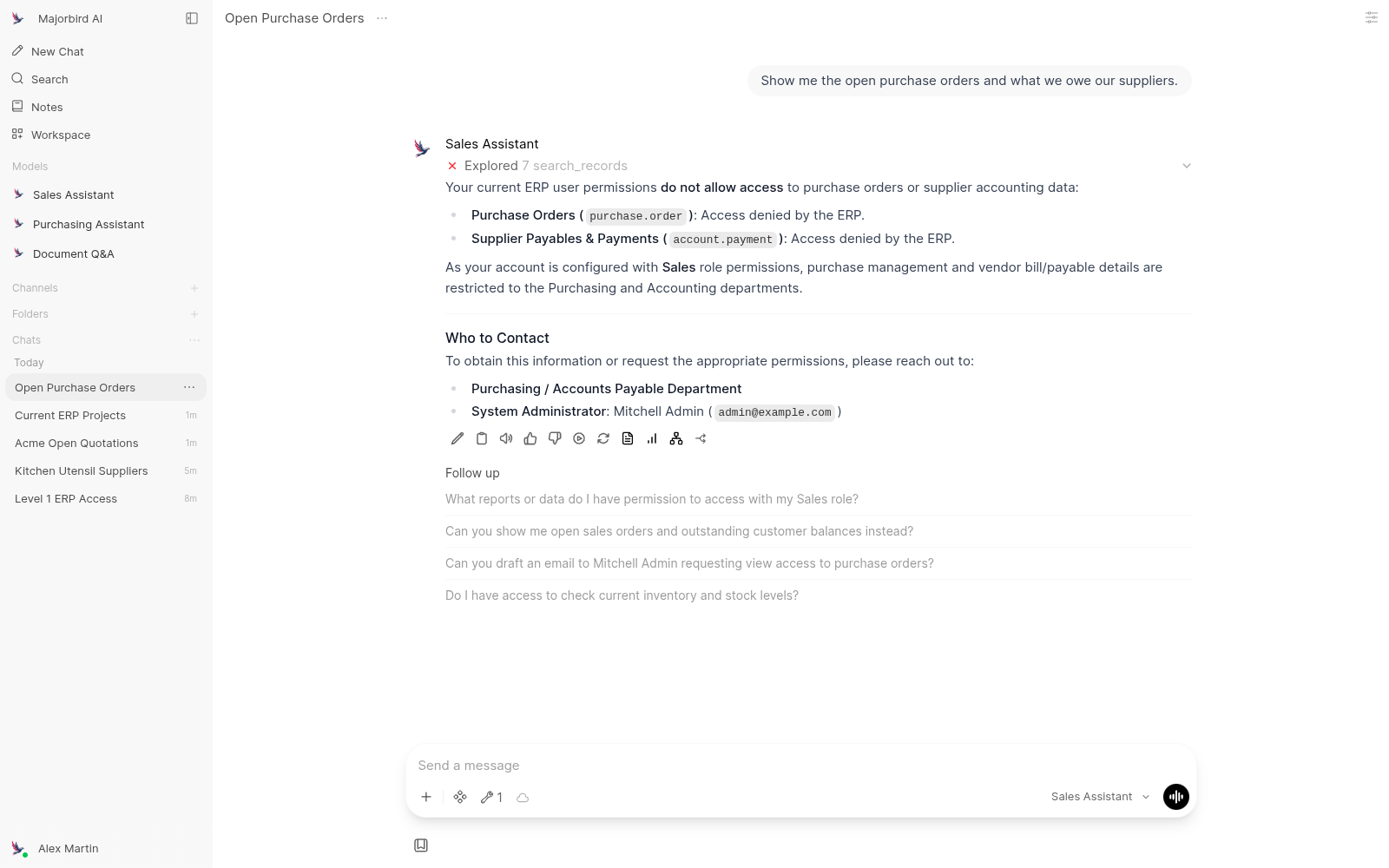
- Level 2: per-user mailbox tool (read, search, draft, never send), eight purpose-built ERP tools with rights enforced by the ERP and access groups managed by the client's admin, web search. Identity carried end to end through a trusted proxy.
- Documentation: one living architecture document, onboarding in one sentence ("sign in with Microsoft").
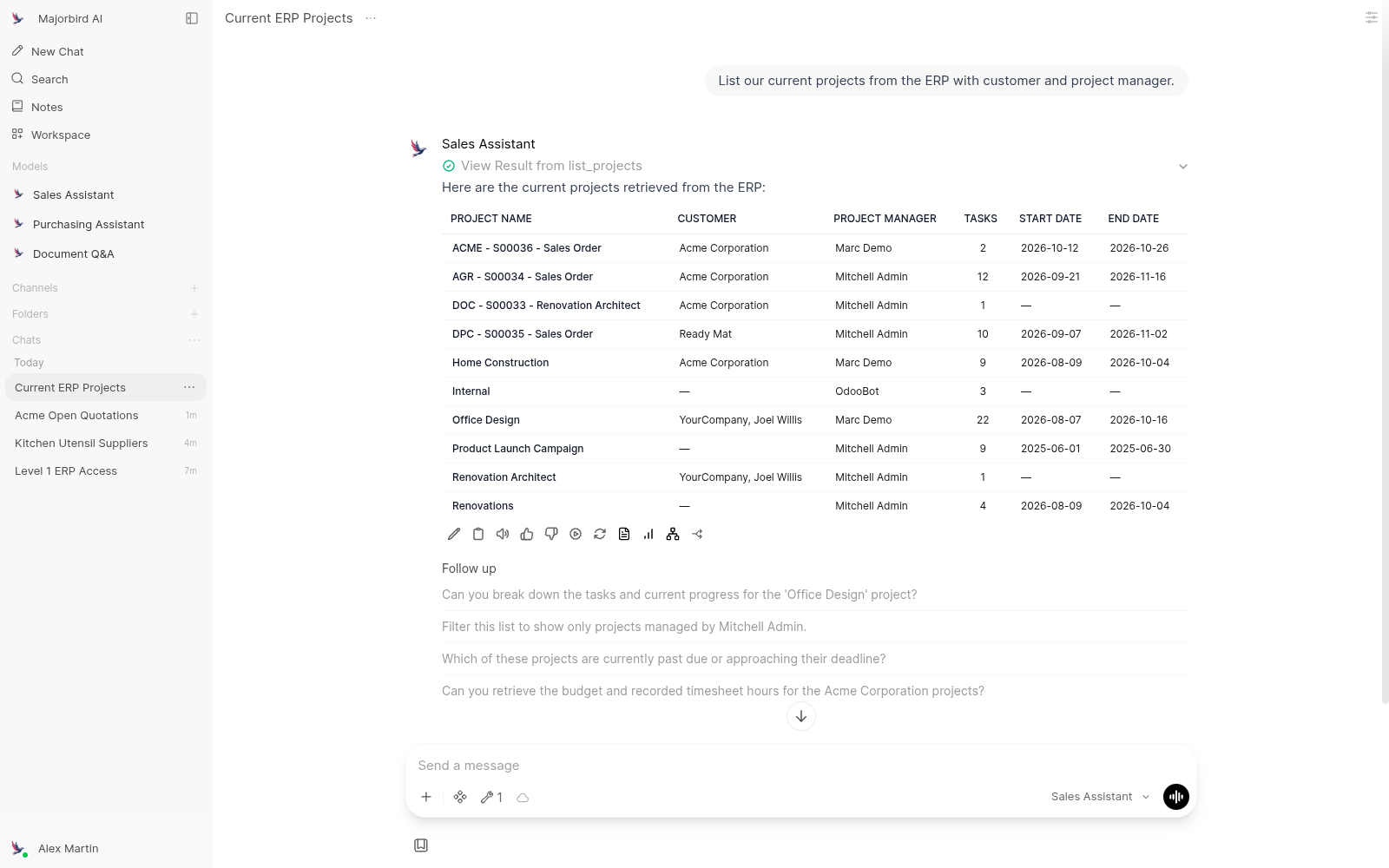
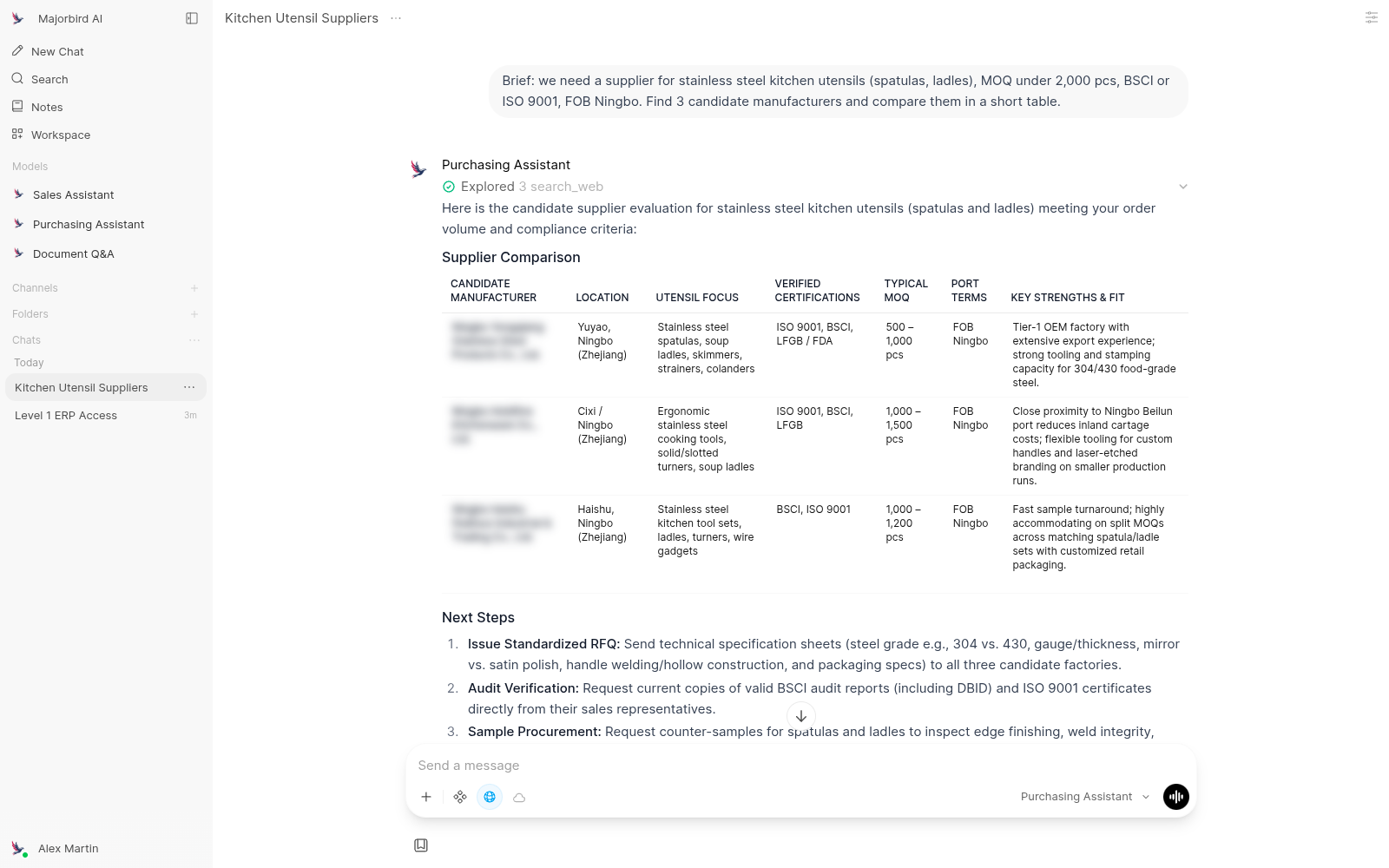
Result. A business lead used it the same afternoon on real work: project lists from the ERP, supplier sourcing from a brief, mailbox search, and a correct refusal when asking for data outside her rights. The external consultants' role was refocused on framing, charter and training on top of the platform.
Questions
Frequently asked questions
Give your team a safe place to use AI, connected to your business.
Book a half-day discovery. We map your systems and your first use cases, and come back with a fixed setup price.